
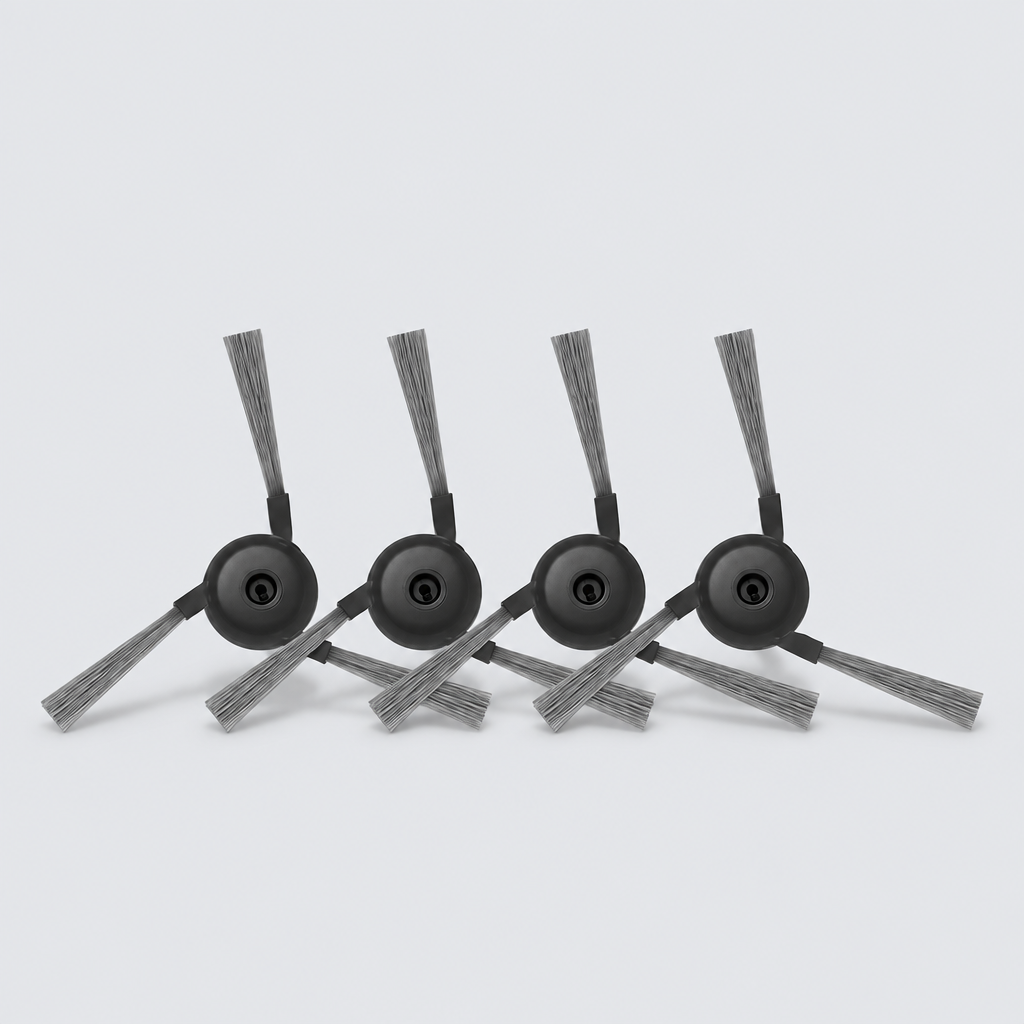
Side Brushes compatible with Dreame L40 Ultra and X40 Ultra (4 Pack)
High-quality replacement side brushes designed for durable cleaning performance. These brushes effectively sweep dirt and debris from edges and corners into the cleaning path.
01Key facts
- Part type
- Side Brush
- Category
- Vacuum Side Brushes
- Part no. (MPN)
- Not published
- Pack
- 4-pack
- Verified models
- 2
- Brands covered
- 1
- Customer rating
- No reviews yet
- Type
- Aftermarket replacement
02Compatibility matrix
Only models verified by our team are listed| Brand | Model | Status | Parts for model |
|---|---|---|---|
| Dreame | Dreame L40 Ultra | Verified | View → |
| Dreame X40 Ultra | Verified | View → |
Only the models listed above have a confirmed catalog fit. If yours is absent, compatibility is unknown, not ruled out. Compare the exact model identifier and any published dimensions or connectors before ordering.
Where to find your model number
- Dreame: Usually on a sticker under the main body, near the battery or under the dustbin.
General manufacturer guidance — exact label position can vary by model.
03Specifications
Catalog-normalized- Material
- Rubber, Silicone, Metal, Fabric, ABS Plastic
- Vacuum Part Type
- BRUSHES
- Variant
- 4 Side Brushes
04Installation guide - Replacing a brush
General guidance for this part type - always follow your device manual- Small screwdriver (only if the brush is screwed in)
- Replace brushes in pairs when a set is supplied, so wear stays even.
- 1Switch the device off and unplug it (or remove the battery) before starting.
- 2Turn the device over to access the brush area.
- 3Remove the old brush: pull it straight off its post, or undo the single retaining screw if present.
- 4Clear hair and debris from the brush post and surrounding area.
- 5Press the new brush onto the post (or refit the screw) until secure.
- 6Spin the brush by hand to confirm it rotates freely.
Read the full guide: How to Replace a Vacuum Roller (Main Brush) →
This is general guidance for the part type, not a model-specific procedure. If the part does not fit without force, stop and recheck compatibility.
Maintenance check
Signs it's time to replace
- 01Brush arms are bent, splayed or missing tips
- 02Debris is left along walls and in corners
- 03The brush spins but no longer touches the floor evenly
12-month warranty on every part
Every part we sell is covered for 12 months from delivery. If it fails in normal use, we replace it or refund you — claim it straight from your order page.
07Customer reviews
No reviews yet. Bought this part? Be the first to review it.
Questions & answers
+What's in the box?
Pack size: 4-pack, as listed for this part. Check the photos and specifications for the exact contents.
+What is it made of?
Listed material: Rubber, Silicone, Metal, Fabric, ABS Plastic.
+Which models has your team verified?
2 models are verified, see the compatibility table above.
More in our fit guarantee, returns policy and shipping.