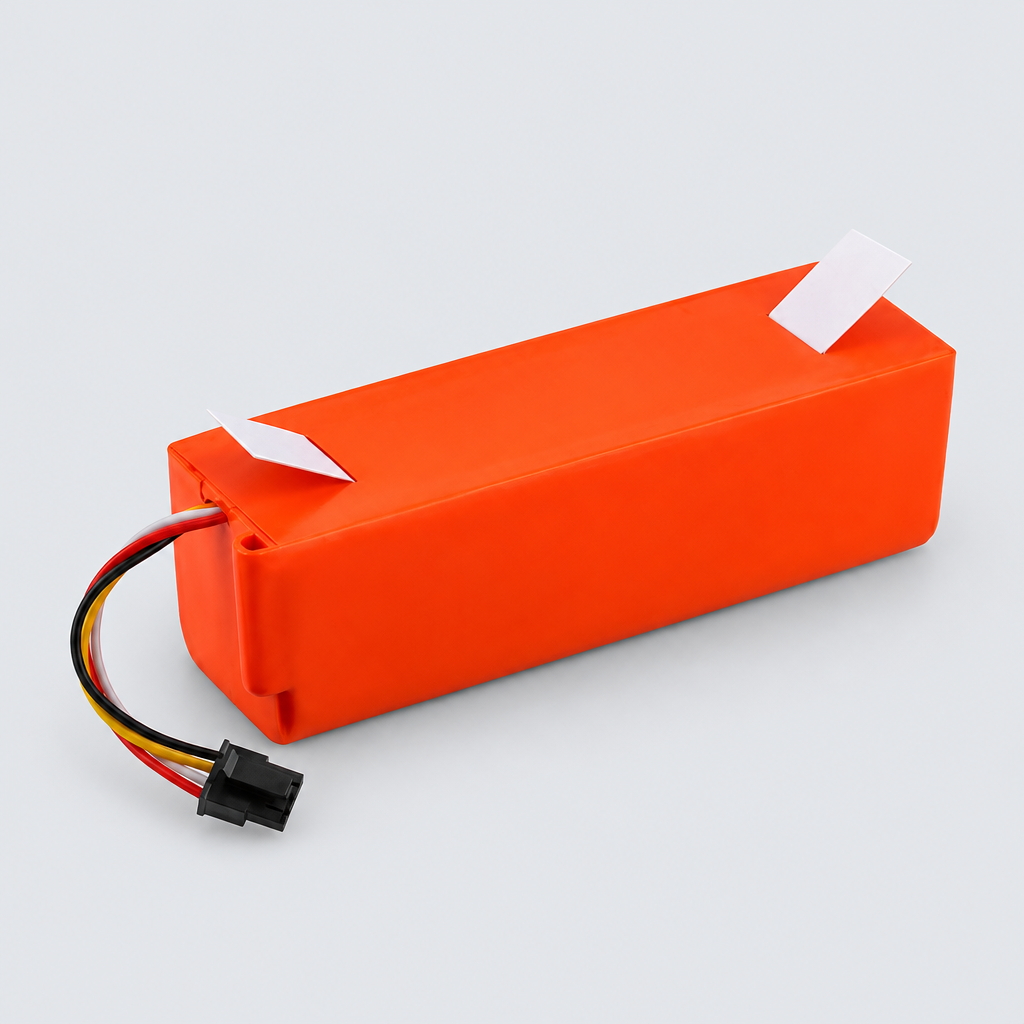
4000mAh Battery compatible with Xiaomi Roborock S50 S55 S60 S65 S5 MAX
Replacement 4000mAh 14.4V Li-Ion battery designed for Xiaomi and Roborock robot vacuum cleaners. High-quality 18650 cell type provides reliable power for models from the 1st to 4th generation. A durable spare part to restore long cleaning cycles to your electric sweeper.
01Key facts
- Part type
- Battery
- Category
- Vacuum Batteries
- Part no. (MPN)
- Not published
- Pack
- Not published
- Verified models
- 30
- Brands covered
- 2
- Customer rating
- No reviews yet
- Type
- Aftermarket replacement
02Compatibility matrix
Only models verified by our team are listed| Brand | Model | Status | Parts for model |
|---|---|---|---|
| Roborock | Roborock S6 | Verified | View → |
| Roborock S50 | Verified | View → | |
| Roborock S51 | Verified | View → | |
| Roborock S54 | Verified | View → | |
| Roborock T4 | Verified | View → | |
| Roborock T6 | Verified | View → | |
| Roborock E35 | Verified | View → | |
| Roborock S45 | Verified | View → | |
| Roborock S50 Max | Verified | View → | |
| Roborock S55 Max | Verified | View → | |
Only the models listed above have a confirmed catalog fit. If yours is absent, compatibility is unknown, not ruled out. Compare the exact model identifier and any published dimensions or connectors before ordering.
Where to find your model number
- Roborock: Lift the top cover — the model label is beside the dustbin; also on the bottom of the robot.
- Xiaomi: Usually on a sticker under the main body, near the battery or under the dustbin.
General manufacturer guidance — exact label position can vary by model.
03Specifications
Catalog-normalized- Nominal Capacity
- 4000mAh
- Type
- Li-Ion
- Voltage
- 14.4V
- Cell Size
- 18650
- Weight
- 420g
04Installation guide - Replacing a battery
General guidance for this part type - always follow your device manual- Screwdriver only if the battery bay is screwed shut
- Dispose of the old battery at an approved recycling point - never in household trash.
- If the device does not power on, reseat the connector before assuming a fault.
- 1Switch the device off and unplug it (or remove the battery) before starting.
- 2Open the battery compartment or release the battery pack latch.
- 3Disconnect the old pack by pulling the connector straight - never by the wires.
- 4Connect the new pack and confirm the connector is fully seated.
- 5Close the compartment and charge fully before first use.
This is general guidance for the part type, not a model-specific procedure. If the part does not fit without force, stop and recheck compatibility.
Maintenance check
Signs it's time to replace
- 01Runtime is much shorter than when the device was new
- 02The device dies suddenly even though the indicator showed charge
- 03The battery takes far longer to charge, or never reaches full
- 04The pack is swollen, hot or damaged, stop using it immediately
12-month warranty on every part
Every part we sell is covered for 12 months from delivery. If it fails in normal use, we replace it or refund you — claim it straight from your order page.
07Customer reviews
No reviews yet. Bought this part? Be the first to review it.
Questions & answers
+Which models has your team verified?
30 models are verified, see the compatibility table above.
More in our fit guarantee, returns policy and shipping.